
Punch Walls To Escape Beginner Guide
Last updated:
Start your escape by breaking walls, collecting rubble, and turning it into upgrades. Your on-screen objective tells you whether to work through wall layers or clear a room.
Quick Answer
Break wall blocks, collect the rubble with a Vacuum, and sell it at the point for your current route. Spend the cash on tools and upgrades. Follow the LAYER indicator or the room objective percentage to track progress. To create a party, touch PLAY in the lobby. Room-route Robots upgrades help everyone, and a VIP gives the crew 2x Gems without stacking with other VIPs.
Break, Collect, Sell, and Upgrade
| Step | What to do |
|---|---|
| Break | Use your Fists or an equipped tool to break wall blocks into rubble. |
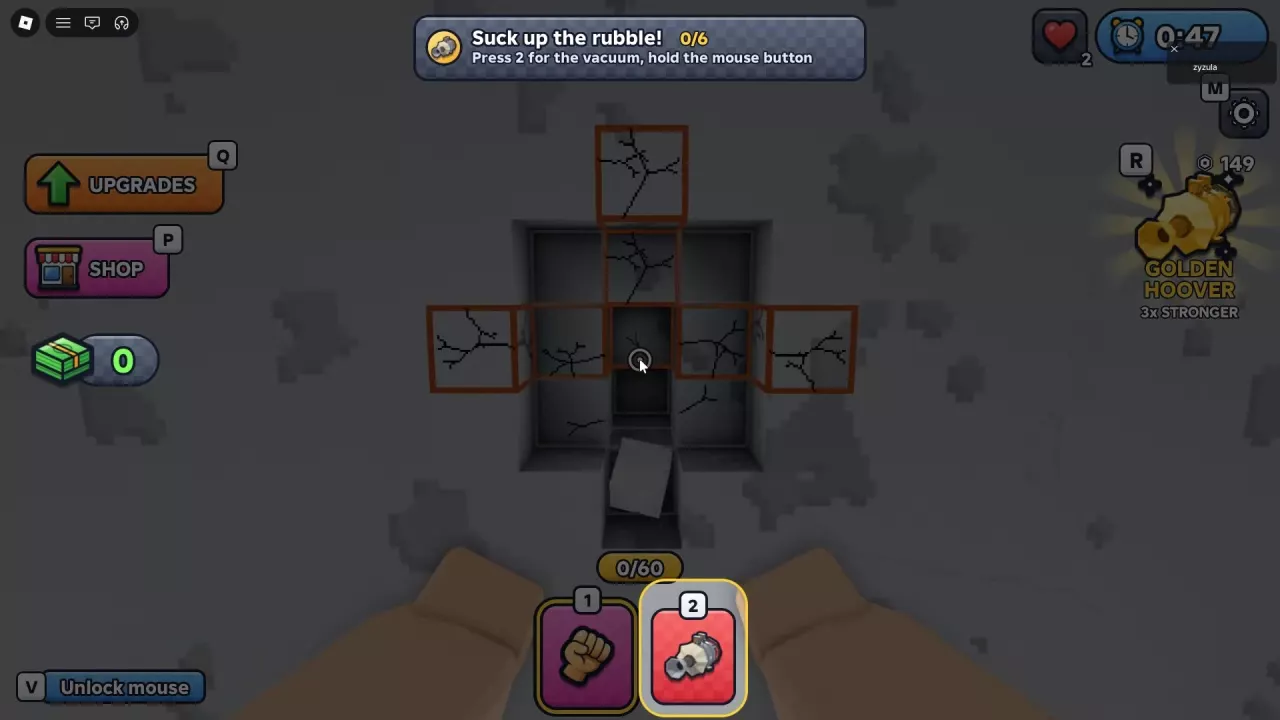
| Collect | Equip a Vacuum and gather the loose rubble into your bag. |
| Sell | Take it to the selling point for your route: the Crusher for the wall-layer route, or the selling area or conveyor in the room route. |
| Upgrade | Spend cash on equipment and upgrades, then return to the wall. |
If your bag fills often, more capacity means fewer trips to unload. If processing is the slow part, improving Crusher Speed addresses that bottleneck instead. Spend on stronger breaking or collection when those are slowing you down.
Recognize Your Escape Objective
| On-screen cue | Your goal |
|---|---|
| LAYER | Break through Drywall, Brick, Concrete, Reinforced, and Steel. After reaching Daylight, keep enlarging the Escape Hole. |
| Room objective and percentage | Follow the current objective. When it says Clear every block to open the next room, remove every wall block, not just enough to make a passage. |
Follow the wall layers and Escape Hole guide for the route, or see how to open rooms and handle warnings if you are working through room objectives.
Escape the Lab to unlock Chapter 2, Ironhold. Reach the SEA WALL and escape by boat; see the Ironhold escape guide for the route.
Controls for Breaking, Collecting, and Selling
Room objectives
- Press 1 for Fists and 2 for the Vacuum. Aim at loose rubble and hold the mouse button to collect it.
- Press Q to open upgrades. During the introduction, walk into the green SELL HERE area to sell; at a conveyor, press E at the empty-bag prompt.
- If the conveyor fills while you unload, rubble that does not fit stays in your bag.
Wall layers
- Click to break the wall and select your tools from the hotbar. The Vacuum collects loose rubble after you break blocks.
- Press E at a tool shelf to view its offer. Carry rubble to the Crusher and click it or press E nearby to sell.
Hotbar positions can differ between the two routes. If your bag is full, unload it before collecting more.
Solo Play, Parties, and Shared Benefits
You can play solo or with up to four friends. In the lobby, touch the PLAY area marked Touch to create a party to open the party-creation entry.
In the room route, Robots upgrades help everyone, so they are useful group purchases when you want shared assistance. A VIP gives the owner and their crew 2x Gems while playing together; multiple VIPs do not increase that multiplier beyond 2x. One VIP is enough for the crew to receive that benefit.
See the Robots guide for upgrade and repair options or the game passes guide for VIP and other purchase choices.
LAB and PRISON Win Leaderboards
LAB and PRISON wins are tracked separately on the leaderboards. Check the corresponding win leaderboard for each chapter.
Choose Your Next Guide
- Continue a wall-layer escape: Follow the wall layers and Escape Hole route.
- Open a room or handle a warning: Use the room-clearing guide.
- Complete a wall-route quest: Check quest conditions and Gem rewards.
- Choose breaking equipment or an upgrade: Compare tools and upgrade priorities.
- Collect more rubble or make room in your bag: See Vacuum choices and bag capacities.
- Turn rubble into cash: Find the right interaction in the selling guide.
- Unlock and escape Ironhold: Follow the Ironhold escape guide.